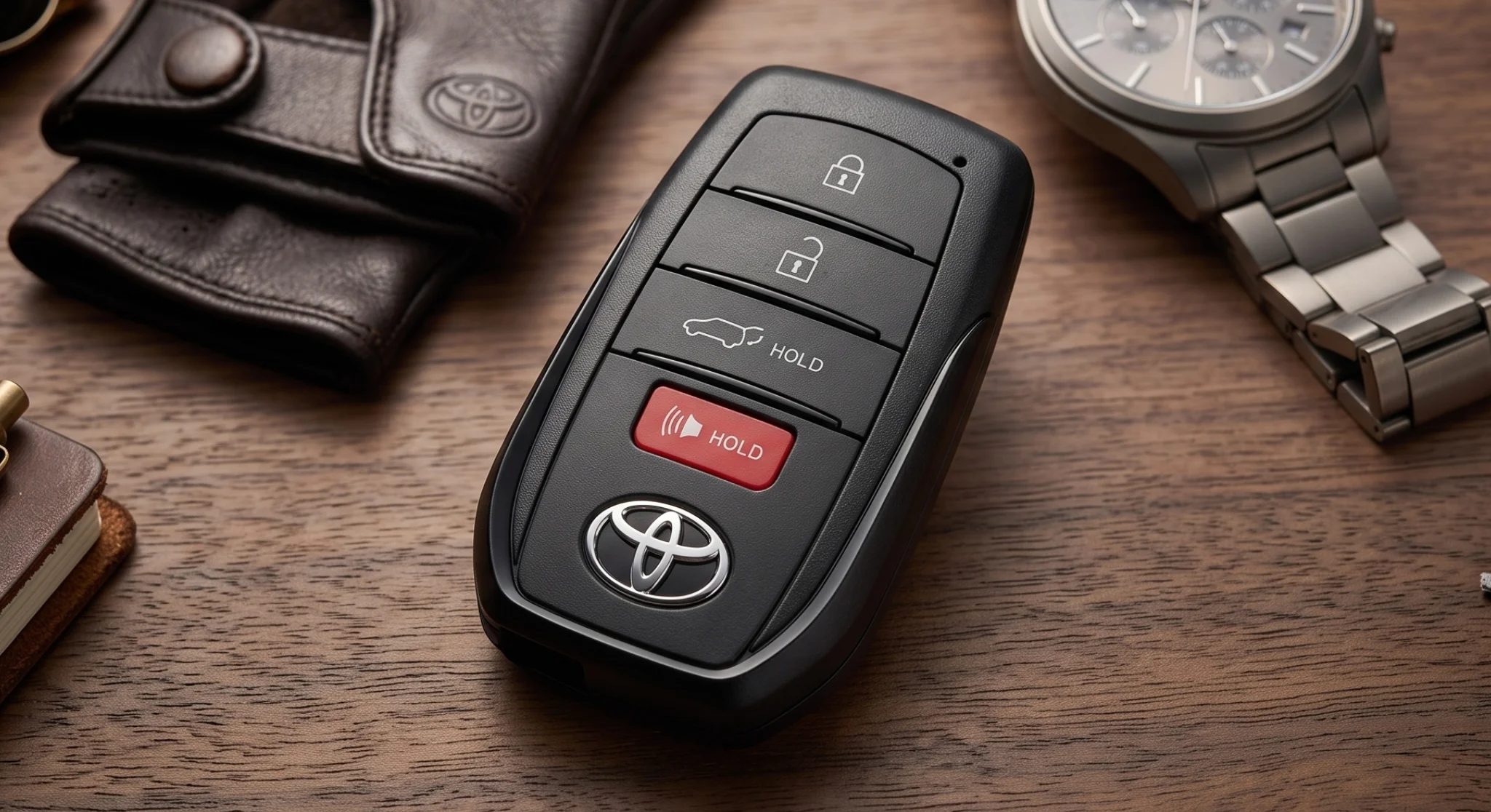
Toyota Key Fob Battery Replacement (Step-by-Step)
Toyota Key Fob Battery Replacement (Step-by-Step)
When your Toyota key fob starts acting up — shorter range, a “Key Battery Low” message on the dash, or buttons that take several presses — a fresh coin-cell battery is usually all it needs. It’s a quick job most owners can handle at home in a few minutes. This guide walks you through it step by step, from confirming the right battery to testing the fob when you’re done.
How to Tell Your Key Fob Battery Is Dying
The warning signs that it’s time for a fresh coin cell
A weakening fob rarely quits all at once. The most reliable early sign is reduced range — if you used to unlock from across the lot but now have to stand right beside the door, the cell is fading. Many newer Toyota models also show a “Key Battery Low” warning on the multi-information display in the instrument cluster — though not every model displays one, so don’t rely on it alone. Watch the small LED on the fob, too: if it glows dimly, flickers, or won’t light when you press a button, the battery is low. Buttons that need several firm presses point the same direction.
How to Replace Your Toyota Key Fob Battery
A simple seven-step swap you can do at home
Step 1 — Confirm Which Battery Your Fob Uses
Before you buy anything, identify the exact coin cell your fob takes. The fob’s shape is a useful clue — often more telling than the model year — but it’s only a starting point, not a firm rule. As a general pattern, the older rounded, oval-style smart and remote keys tend to take a CR2032, while many of the newer flat, rectangular blade-style smart keys take a CR2450. (Because Toyota rolled the new key out unevenly across the lineup, two cars of the same year can differ — for example, an earlier Camry uses a CR2032 while the redesigned rectangular-key Camry uses a CR2450.) The sizes are not interchangeable — a cell that’s too thin won’t reach the contacts, and forcing one that’s too thick can bend the terminals. The only sure check is to read the code printed on your old battery, or check your owner’s manual — the shape and the table below are just a guide. As a general reference:
Toyota Key Fob Battery by Fob Type (General Guide)
| Fob Shape / Type | Battery (typical) | Notes |
|---|---|---|
| Older rounded / oval smart & remote keys | CR2032 | The most common Toyota fob cell for years — 20 mm wide, 3.2 mm thick |
| Many newer flat, rectangular blade-style smart keys | CR2450 | A larger 3-volt cell (24.5 mm wide, 5.0 mm thick) on many of the latest redesigned fobs; not interchangeable with the CR2032. Which models use it varies — always confirm the printed code |
| Some newer smart keys | CR2025 | Same 20 mm width as the CR2032 but thinner at 2.5 mm — specified on certain smart keys, so check the code before assuming CR2032 |
| Older or secondary / remote-head keys | CR2016 | Same 20 mm width but only 1.6 mm thick — found on some older or combination keys |
| Certain older / alternative fobs | CR1632 | Occasionally specified on older designs — verify against the code on your own cell |
Always confirm against your own fob or owner’s manual before buying — the table is a starting point, not a substitute for the code stamped on your cell.
⚠ Match the Exact Size
A CR2032 is 3.2 mm thick; a CR2016 is only 1.6 mm — half as thick. A too-thin cell won’t reach the contacts, and forcing a too-thick one can bend the terminals or crack the housing. Match the exact code, not just “a 3-volt battery.”
Then Swap the Battery
- Remove the hidden mechanical key. Every Toyota smart key holds a metal emergency key blade inside. Slide the small release button or switch on the side or back of the fob and pull the blade straight out. On many fobs you’ll also use this key to open the case.
- Open the fob case. On newer smart keys, insert the emergency key (or a small flat tool) into the slot the blade left behind and gently twist to separate the two halves. On older fobs, find the seam along the edge and pry it apart with a plastic pry tool or small flathead screwdriver. Work slowly around the edge — a plastic tool is safest and won’t scratch or crack the housing.
- Remove the old battery. Note how the old cell sits and which side faces up. Lift it out with a fingernail or plastic tool, avoiding any prying against the circuit board underneath.
- Insert the new battery. Handle the fresh cell by its edges to keep oils off the contacts. Seat it exactly as the old one sat — for most Toyota fobs the positive (+) side faces up. Make sure it’s flush against the metal contacts.
- Reassemble and reinsert the key. Line up the two halves and press until they click shut. Slide the mechanical key back into place.
- Test the fob. Stand near your vehicle and press lock and unlock. If the buttons don’t respond, recheck the orientation and make sure the contacts are clean and seated.
⚠ Button Battery Safety — Keep Away From Children
Coin and button batteries are dangerous if swallowed and can cause severe internal chemical burns in as little as two hours. Keep new and used batteries away from children and pets, and if a battery is swallowed, get emergency medical attention immediately. If the fob cover won’t close securely after you replace the battery, stop using the key and contact us — a loose cover is a safety risk around children.
💡 No Reprogramming Needed
In almost all cases the fob keeps its pairing through a battery swap — no reprogramming required. A few models may need a quick re-sync; if the fob still won’t respond after a fresh, correctly seated battery, our service team can help.
How Long Should a Toyota Key Fob Battery Last?
What to expect from a standard coin cell
A Toyota coin cell often lasts two to four years, but it varies widely by fob type and how you store it. Basic remotes only draw power when you press a button, so they tend to last on the longer end. Smart keys with push-button start drain faster because the fob is always “listening” for the vehicle — and some of the newest rectangular blade-style fobs run noticeably shorter, with owners reporting well under a year, especially when the key is stored right next to the vehicle (which keeps it constantly communicating). Heat is hard on lithium cells, too. Don’t rely on a dashboard low-battery warning as your safety net — not every model shows one, and when it does it may not appear in time. The most dependable early cue is reduced range: when you have to stand closer to the vehicle for the buttons to work, it’s time for a fresh cell. Storing a spare key away from the vehicle and keeping fresh batteries on hand helps avoid surprises.
What If the Fob Is Completely Dead?
How to get in and get going with a dead cell
A dead fob won’t lock you out. Use the mechanical key from Step 2 to unlock the driver’s door manually. To start the engine, press the brake firmly, hold the fob against the ENGINE START/STOP button — the back of the fob, with the Toyota emblem, facing the button — and press the button as usual. The vehicle detects the transponder chip through close contact and allows the engine to start, even with a dead cell. Replace the battery as soon as you can afterward.
Will the Dealership Replace the Battery for Free?
What warranty and maintenance plans typically cover
It depends on your coverage. On a brand-new vehicle, an early failure is occasionally handled as goodwill or under bumper-to-bumper terms, but coin-cell batteries are generally treated as consumable wear items and aren’t covered by standard factory warranties. If you carry a prepaid maintenance or protection plan, ask your service advisor whether minor wear items are included when you’re in for routine service. For most drivers it’s a quick, low-cost swap — and if you’d rather not open the case yourself, our service team can do it in minutes.
This information is provided for general educational purposes only and does not constitute legal advice. Warranty coverage depends on the specific terms of your vehicle’s warranty agreement. Consult your owner’s manual or a qualified legal professional for guidance on your individual situation.
Common Questions
Quick answers about Toyota key fob batteries
Are CR2032 and CR2016 batteries interchangeable in a Toyota key fob?
No. Both are 3-volt lithium coin cells, but a CR2032 is 3.2 mm thick and a CR2016 is only 1.6 mm — half as thick. The thinner cell won’t make secure contact, and a thicker cell in a fob built for a thinner one can bend the terminals or crack the housing. Newer flat, rectangular blade-style smart keys use a different cell again (CR2450), so always match the exact code on your battery.
Do premium brand-name batteries last longer than generic ones?
Generally, name-brand lithium cells offer more consistent voltage and better leak resistance than cheap bulk options, which helps avoid sudden drop-offs and intermittent range. It’s a small price difference for more reliable performance.
Can I buy a replacement at a local store?
Yes — common coin cells like the CR2032 are stocked at hardware stores, pharmacies, grocery stores, and electronics retailers, usually for a few dollars. For the correct, fresh cell for your specific fob, an authorized parts department is the most reliable source.
What if my key fob went through the wash?
Slide out the mechanical key, open the case, and remove the battery right away. Gently dry the internal parts with a soft cloth or cotton swab and let the circuit board air-dry fully for about 24 hours before installing a fresh battery. Don’t use a heat gun or hair dryer — excess heat can warp the board.
When to Visit North Hollywood Toyota
When a swap isn’t enough and it’s time for a technician
Most battery swaps are simple, but some situations call for professional tools. If you’ve installed a fresh, correct battery with the positive (+) side up and the fob still won’t work the locks, the cause may be lost programming, a damaged circuit board, or even a weak 12-volt vehicle battery — the car’s receiver needs adequate voltage to read remote commands, so a failing car battery can mimic a dead fob. Our factory-trained technicians can pinpoint whether the fault is in the fob, the receiving antenna, or the vehicle’s electrical system, and if a fob is cracked, water-damaged, or lost, we can cut a new mechanical blade and program a replacement smart key to your vehicle. You can schedule a visit to our North Hollywood service center or reach our team at (818) 369-3922. Our parts department also stocks factory-spec replacement cells if you’d rather pick one up. Find us at 4606 Lankershim Blvd, North Hollywood, CA 91602, serving drivers across Toluca Lake, Valley Village, Burbank, Studio City, Sun Valley, and Valley Glen.
The information in this article is general guidance and does not constitute a specific diagnostic or repair recommendation for any individual vehicle. Repair and maintenance decisions should be made in consultation with a certified technician based on the specific condition of your vehicle.
Need a Hand With Your Key Fob?
Whether you need the right battery, a programming check, or a full smart-key replacement, our North Hollywood Toyota service team is ready to help.
Call us at (818) 369-3922 — 4606 Lankershim Blvd, North Hollywood, CA 91602
Disclosures
The information in this article is general guidance and does not constitute a specific diagnostic or repair recommendation for any individual vehicle. Repair and maintenance decisions should be made in consultation with a certified technician based on the specific condition of your vehicle.
This information is provided for general educational purposes only and does not constitute legal advice. Warranty coverage depends on the specific terms of your vehicle’s warranty agreement. Consult your owner’s manual or a qualified legal professional for guidance on your individual situation.